Md. Al Amin
How to Fix Phone Screen Unresponsive Touch
How to Fix Phone Screen Unresponsive Touch
A phone screen that won't respond to touch can happen because of a software glitch, moisture, a damaged screen protector, charging problems, overheating, or physical damage. Before taking your phone for repair, try these solutions in order.
1. Force Restart Your Phone
A temporary system freeze can make the touchscreen appear completely unresponsive.
On most iPhones
- Press and quickly release Volume Up.
- Press and quickly release Volume Down.
- Press and hold the Side button.
- Keep holding until the Apple logo appears.
On many Android phones
Press and hold Power + Volume Down for about 10–20 seconds.
The exact method can vary by manufacturer and model.
2. Clean and Dry the Screen
Water, sweat, oil, and dirt can interfere with touch sensitivity.
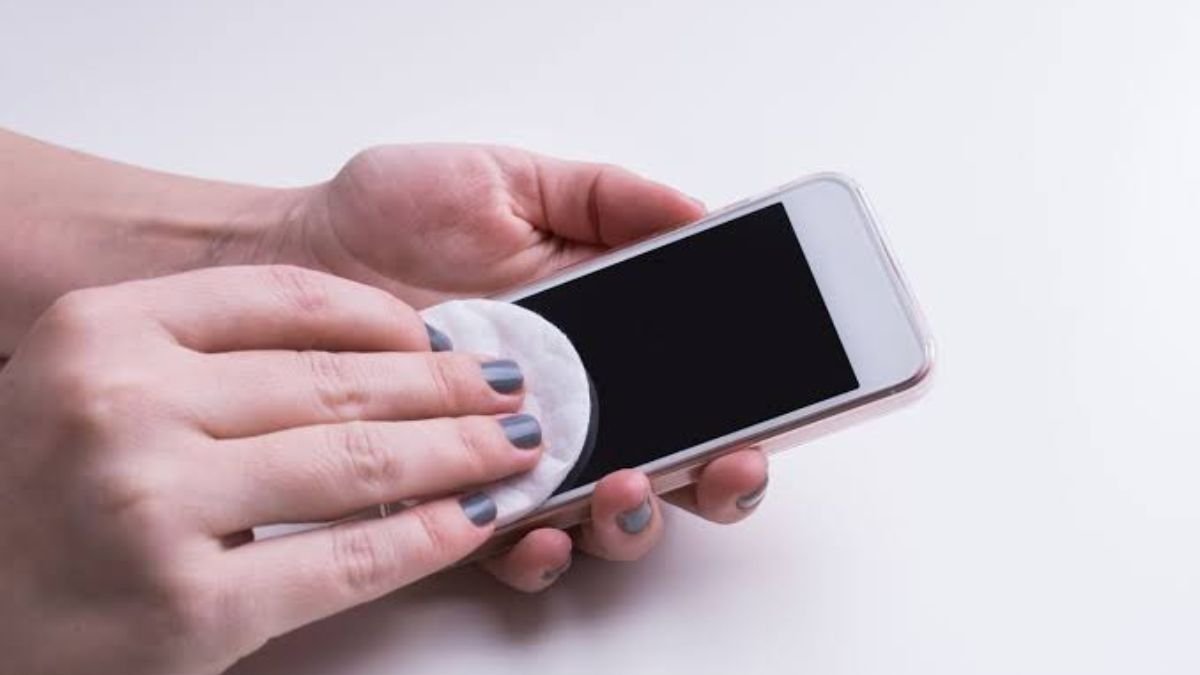
Turn the phone off if possible and wipe the display with a clean, dry microfiber cloth. Make sure your hands are dry before testing the screen again.
If the phone has been exposed to water, avoid charging it until you are confident that it is dry.
3. Remove the Screen Protector and Case
A cracked or poorly fitted screen protector can sometimes interfere with touch.
Remove the screen protector temporarily and test the phone. Also check whether the case is pressing against the edges of the display.
4. Disconnect the Charger
If the touchscreen becomes unresponsive only while the phone is charging, the charger or cable may be contributing to the problem.
Try:
- Disconnecting the charger
- Using another compatible cable
- Using another power adapter
- Trying a different electrical outlet
If the touch works normally after unplugging the phone, stop using the problematic charging accessories.
5. Check Which Parts of the Screen Work
Try tapping different areas of the display.
If some areas respond while others don't, the problem could involve the phone's touch digitizer, which detects finger input.
For example, if the entire bottom portion of the screen doesn't respond while the rest works normally, hardware damage becomes more likely.
6. Let an Overheated Phone Cool Down
Excessive heat can cause temporary performance and touchscreen problems.
If the phone feels unusually hot:
- Disconnect it from the charger.
- Stop using demanding apps.
- Remove the case.
- Leave it somewhere cool and dry.
- Wait until it returns to a normal temperature.
Don't put a hot phone in a refrigerator or freezer.
7. Try Safe Mode on Android
If the problem started after installing or updating an app, a third-party application could be responsible.
Android Safe Mode loads the phone without most third-party apps. If the touchscreen works normally in Safe Mode, recently installed or updated software may be causing the problem.
The procedure for entering Safe Mode differs between manufacturers.
8. Update the Phone
If you can still operate the phone, check for available system updates.
On Android, look under Settings → System/Software Update. On iPhone, check Settings → General → Software Update.
An update may resolve a software-related touchscreen problem.
9. Back Up Your Data
If the touchscreen starts working again, back up your important information as soon as possible.
Save important:
- Photos and videos
- Contacts
- Documents
- Messages
- App data
- Cloud backups
This is particularly important if the phone has been dropped or otherwise physically damaged.
10. Use a USB Mouse on Compatible Android Phones
Some Android phones support USB OTG. With a compatible OTG adapter, you may be able to connect a USB mouse and control the phone even when the touchscreen isn't responding.
This can be useful for backing up important data before repair.
What If the Phone Was Dropped?
If the touchscreen stopped working after the phone was dropped, the problem may be physical rather than software-related.
Possible causes include:
- Cracked display
- Damaged digitizer
- Loose display connection
- Internal component damage
A restart won't repair a physically damaged display, so professional inspection may be necessary.
What If the Phone Got Wet?
Liquid can damage both the touchscreen and internal electronics.
If your phone has been exposed to water:
- Disconnect the charger.
- Turn it off if possible.
- Remove accessories.
- Avoid repeatedly pressing buttons.
- Don't apply direct heat.
- Don't charge it if you suspect liquid has entered the device.
For significant liquid exposure, professional inspection is recommended.
Should You Factory Reset the Phone?
Don't factory reset it as your first solution.
A factory reset erases personal data and won't fix physical damage to a display or digitizer.
Try troubleshooting and back up your data first.
When to Get the Phone Repaired
Professional repair is advisable if:
- The screen remains completely unresponsive after restarting.
- Only part of the screen works.
- The display is cracked.
- The problem started after a drop.
- The phone has suffered liquid exposure.
- The screen flickers or displays lines.
- Touch repeatedly stops working.
- The phone becomes unusually hot.
A technician can determine whether the problem is with the display assembly, digitizer, connector, battery, or another internal component.
Frequently Asked Questions
Why is my phone screen on but not responding to touch?
A software freeze, moisture, screen protector, charging issue, overheating, or hardware damage can cause an unresponsive touchscreen.
How do I fix an unresponsive phone screen?
Start by force restarting the phone, cleaning and drying the display, removing the screen protector, disconnecting the charger, and checking whether all areas of the screen are affected.
Can a screen protector cause an unresponsive touchscreen?
Yes. A damaged or incorrectly fitted screen protector can sometimes reduce touchscreen sensitivity.
Why does my phone touch screen stop working while charging?
A faulty charger, cable, adapter, or electrical connection may interfere with touchscreen operation. Try another compatible charger and cable.
Will a factory reset fix my touchscreen?
Only if the problem is caused by certain software issues. It will not repair a physically damaged screen or digitizer.
How do I know if my touchscreen is physically damaged?
If the problem began after a drop, the screen is cracked, or only a specific section consistently fails to respond, hardware damage is more likely.
Final Thoughts
If your phone screen is unresponsive to touch, start with the simplest solutions: force restart the device, clean and dry the screen, remove the screen protector, disconnect the charger, and let an overheated phone cool down.
If the touchscreen still doesn't work—or the problem appeared after a drop, crack, or liquid exposure—the issue may require professional repair. Before handing over the phone, back up your data if you can.







- 32 megapixel camera new phone Tecno Spark 10 Pro
- AI in Bangladesh: Unlocking Potential Amid Challenges
- Google Bard now in Bangladesh
- Samsung Galaxy A54 5G: A perfect price fit!
- Refreshing only increases the speed of the computer?
- Elon Musk`s SpaceX hires 14-year-old Bangladeshi-American Kairan
- Emerging Tech Innovations 2025: The Future is Here
- Tottering from Twitter to Threads
- Spotify tests voice translation feature for podcasts
- How Afraid Should We Be of Artificial Intelligence?