Imran Al Mamun
Solid Color T Shirt in WoodMart Complete Showcase
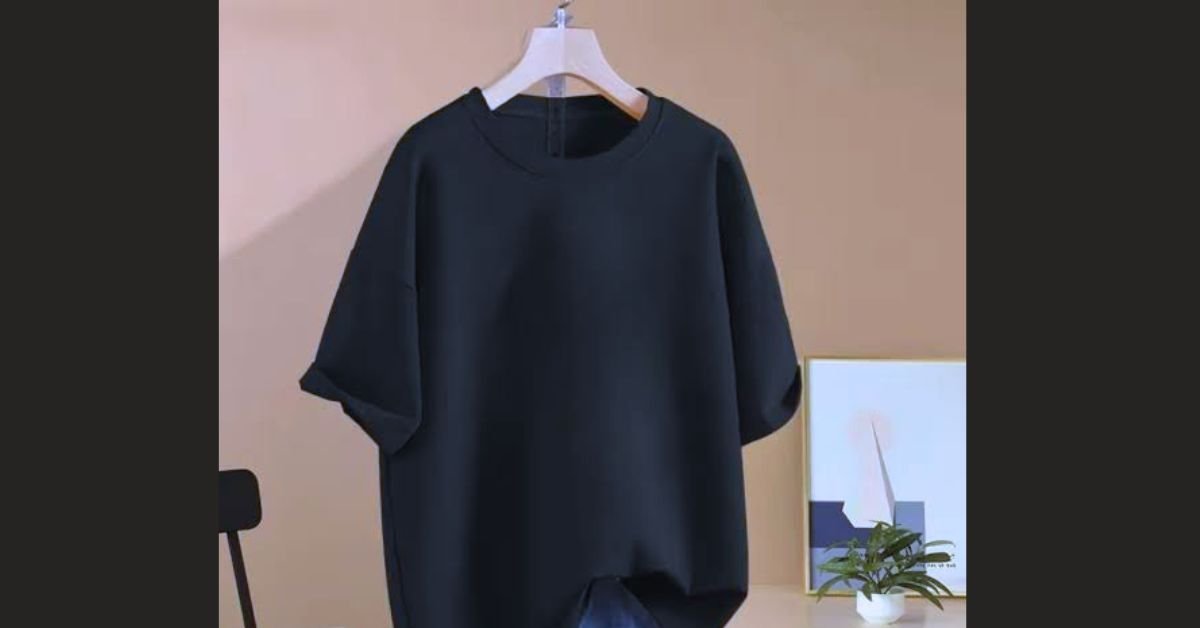
Solid color basic t-shirts represent one of the highest-volume, evergreen categories in modern e-commerce apparel. In the WoodMart WooCommerce ecosystem, presenting monochromatic, heavyweight, and essential cotton tees requires a seamless visual workflow—allowing shoppers to preview color variations.
verify fabric weights (GSM), and inspect stitching details without reloading pages.
WoodMart provides native architecture designed specifically for multi-color fashion catalogs, eliminating the need for bulky third-party variation swatch plugins.
Native Features for Solid Color Apparel in WoodMart
[Shop Grid Loop] ──► Instant Color Swatch Hover ──► Dynamic Image Swap ──► Off-Canvas Quick Buy
-
Built-in Attribute Swatches: Convert plain dropdowns into round, square, or custom-sized color circles using exact HEX color codes or fabric texture image swatches.
-
Variation Image Gallery (Additional Images per Color): Assign distinct 4 to 6 image galleries exclusively to individual colors (e.g., clicking Oatmeal Heather updates the entire thumbnail strip, showing front, back, side, and collar close-ups for that color only).
-
Shop Loop Swatches: Shoppers can preview all available plain shades directly on category and archive pages before opening the single product view.
-
AJAX Cart and Off-Canvas Layering: Instant sizing selection and checkout addition without page reloads, maintaining sub-second interaction speeds.
Technical Configuration for Solid Color T-Shirt Variations
1. Global Color Attribute Setup
To maintain global filtering across your entire store catalog:
-
Navigate to Products $\rightarrow$ Attributes $\rightarrow$ Color.
-
Set the Swatch type to Color or Image.
-
Add global color terms (e.g., Pitch Black, Washed Charcoal, Sage Green, Off-White, French Terry Navy).
-
Assign precise HEX codes or upload clean $100 \times 100\text{ px}$ swatch textures for heather/melange materials.
2. Configuring Additional Images per Variation
In standard WooCommerce, changing a color variation only updates the single featured image. WoodMart resolves this natively:
-
Under Theme Settings $\rightarrow$ Shop $\rightarrow$ Variable Products, activate "Variation gallery".
-
When editing the variable t-shirt product, expand each variation tab (e.g., Sand Dune / Size L) to upload specific model shots under the WoodMart Additional Images panel.
3. Implementing the Size Guide Modal
Solid t-shirts suffer the highest return rates due to sizing ambiguities:
-
Build a responsive measurement table (Chest, Shoulder, Length, Sleeve) using the WoodMart Size Guide post type.
-
Assign the size guide dynamically to the T-Shirts category so it automatically displays adjacent to the size swatches.
Converting Basic Plain Tees: Product Page Layout Standards
┌──────────────────────────────────────┬──────────────────────────────────────────┐
│                                      │  Heavyweight 240 GSM Boxy Tee            │
│       High-Resolution Model Shot     │  $34.00 (Free Global Shipping)           │
│        [Dynamic Color Swapped]       ├──────────────────────────────────────────┤
│                                      │  Color: [ Black ] [ Sand ] [ Olive ]     │
│                                      │  Size:  [ S ]  [ M ]  [ L ]  [ XL ]      │
├──────────────────────────────────────┼──────────────────────────────────────────┤
│ [Thumb 1] [Thumb 2] [Thumb 3]        │  [ ─  1  + ]   [ ADD TO CART ]           │
└──────────────────────────────────────┴──────────────────────────────────────────┘
-
Fabric Spec Highlights: Place clean metadata pills right below the price—such as 100% Combed Ringspun Cotton, Pre-Shrunk, and 220–280 GSM—answering buyer quality questions instantly.
-
Dual Swatch Layout: Configure colors as graphical swatches and sizes as clean text pills (
S,M,L,XL,XXL) for maximum mobile tap-target accessibility. -
Stock Urgency Integration: Use WoodMart's progress bar widget to display real-time inventory levels for trending colors (e.g., "Only 4 left in Sage Green").
Performance Best Practices for Apparel Catalogs
-
AJAX Variations Threshold: Increase the WooCommerce AJAX variation threshold via
functions.phpif your t-shirts offer extensive combinations (e.g., 12 colors $\times$ 6 sizes = 72 variations) to ensure instant swatch switching without server latency. -
Next-Gen Image Formatting: Serve all studio photography in WebP or AVIF formats compressed to under $150\text{ KB}$ per image, pairing with WoodMart’s built-in lazy loading.
-
Product Schema: Ensure JSON-LD structured data outputs separate
hasVariantparameters for each colorway, enabling Google Shopping to index individual color variants directly into search results.









- SSC Exam Result check 2026 Bangladesh
- NU Degree Result 2026 Bangladesh: Full Guide
- India Tourist Visa for Bangladeshis Resumes From May 6
- Eid al Fitr 2026 UAE Dates Confirmed and Expected Globally
- Cleaner Job Circular 2026 Saudi Arabia Latest Hiring Update
- Dubai-bound flight catches fire after taking off from Nepal
- Turkey`s homegrown 5th-generation fighter jet named KAAN
- Shihab Chottur reaches Makkah from India in 12 months
- Eid Ul Adha 2023 in Saudi Arabia!
- India gets new parliament building